CASE & MATTER MANAGEMENT
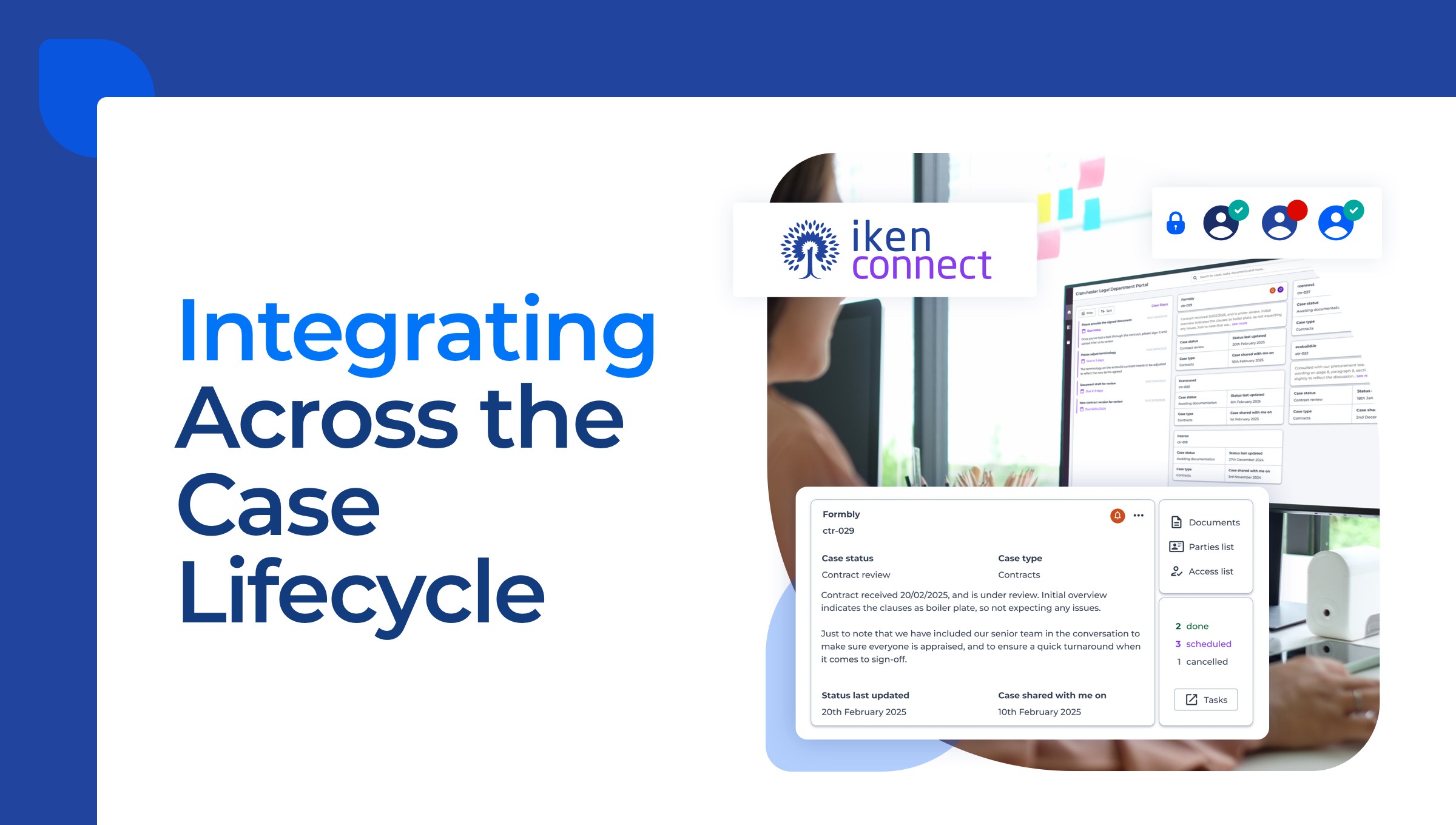
Bring case information, documents, emails, tasks and key dates together in one place. Give your team the context to make informed decisions, coordinate work and stay on top of each case or matter.
Centralised data
Configurable case types
Connected tasks and deadlines




HOW YOUR WORK FLOWS
Your Processes
Your Workflows
Configure workflows around your case types, team responsibilities and approval routes. Define stages, add branching decisions and create repeatable processes that reflect how your organisation works.
Configurable Stages
Branching Decisions
Repeatable Processes
AUTOMATE ROUTINE WORK
Less administration, more time for casework
Reduce repetitive administration with automated tasks, prompts, notifications and document generation built into your workflows. Help your team keep cases moving with timely reminders and consistent steps throughout each process.
Automated Tasks
Prompts & Notifications
Document Generation
High
Today 16.35
A key deadline is approaching. Review the outstanding tasks for this case
Service Review · CASE-2026-0116
Contract Dispute
Service Review · CASE-2026-0116
Instructions
Case Information
Supporting Documents
Correspondence
Generated Documents
ONE CONNECTED RECORD
Keep everything connected to the case
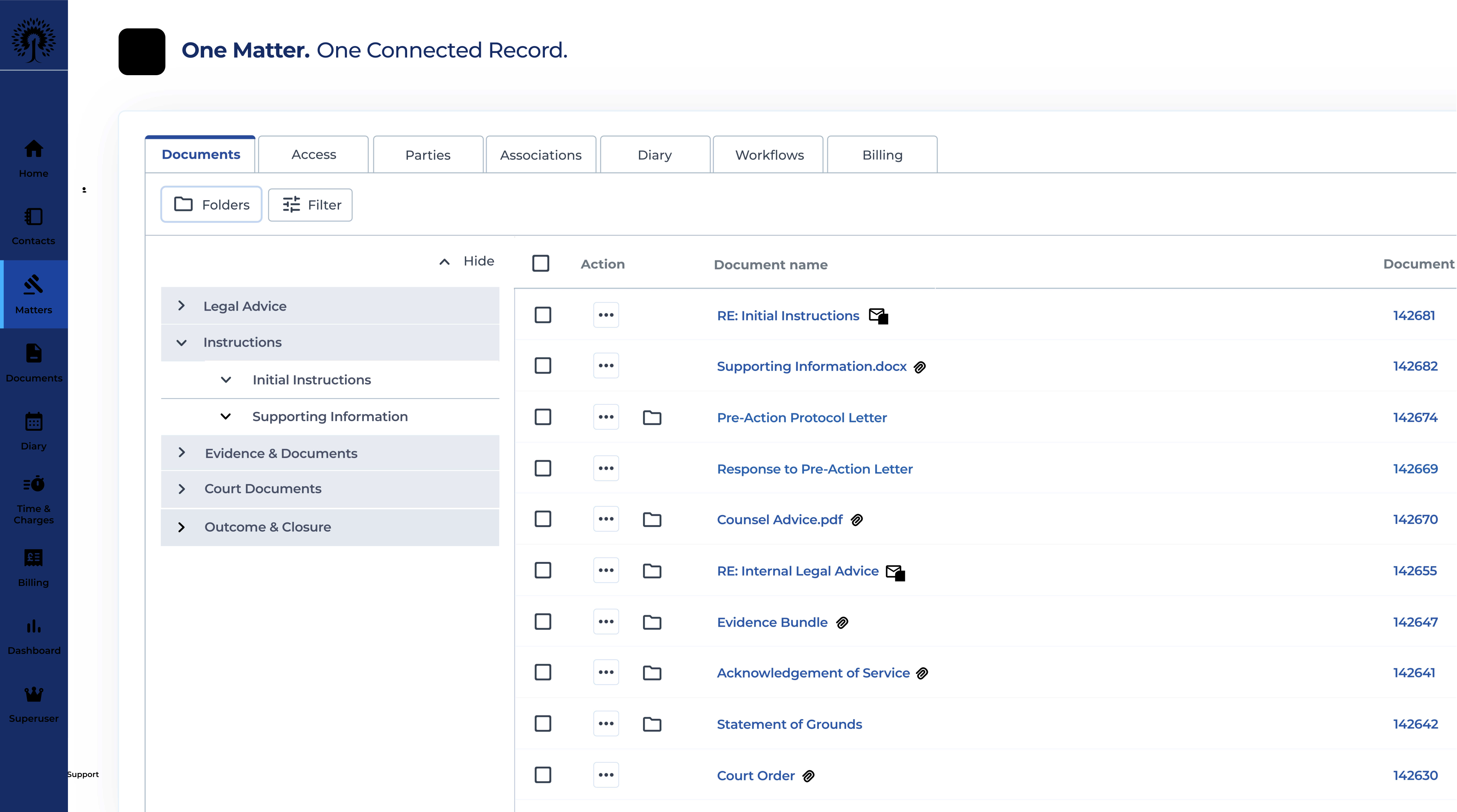
Keep documents, correspondence, tasks and key dates connected to your workflows in one case record. Give your team the context to understand what’s happened, what’s outstanding and what needs to happen next.
Documents & Correspondence
Tasks & Key Dates
Complete Case History

CLEARER OVERSIGHT
Know where work
stands
Track progress, identify outstanding actions and maintain oversight of deadlines. Dashboards and reporting help managers understand workloads, monitor case activity and see where attention is needed.
Matter Progress
Key Dates & Alerts
Dashboards & Reporting
Dashboard
Reporting
Matters by Legal Area
Received
42
Under Review
31
In Progress
24
Awaiting Approval
17
Completed
10
Approaching Deadlines
5
Approval Review
2 Days
Employment Appeal
5 Days
Contract Review
7 Days
124
Active Matters
↑ 12%
86
New matters
↑ 8%
1,240
Hours recoreded
↑ 15%
18
Team members
CONFIGURABLE WORKFLOWS
Different Teams
One Iken
From legal services and complaints to HR and information governance, Iken Cloud supports different ways of working through configurable case management workflows.
Short, no-obligation conversation





FAQs
Frequently Asked Questions
What is configurable workflow management software?
Configurable workflow management software helps organisations define, manage and monitor the steps involved in completing work. Iken Cloud combines configurable workflows with case management, allowing teams to organise tasks, decisions, documents and deadlines around different case types. Workflows can follow standard processes or branch into alternative routes depending on the requirements of a case, helping teams maintain consistency while accommodating more complex work.
Can Iken Cloud workflows be configured around our existing processes?
Yes. Iken Cloud supports workflows configured around an organisation's existing processes, responsibilities and case types. Teams can use different stages, tasks, decision points and approval routes to reflect how their work is managed. This means legal services, HR, complaints and other departments can follow processes suited to their requirements while working within the same case management software.
What tasks can Iken Cloud automate within a workflow?
Iken Cloud can automate routine workflow activities, including generating tasks, issuing prompts and notifications, and producing documents from templates. These actions can be incorporated into defined stages of a case management process, helping teams reduce repetitive administration and keep work progressing. Automation supports staff in completing their work consistently, while decisions requiring professional judgement remain with the appropriate people.
Can workflows follow different routes depending on a decision or outcome?
Yes. Iken Cloud supports branching workflows, allowing a case to follow different routes depending on decisions, outcomes or information gathered during the process. For example, a case may require additional information, proceed to approval or move towards closure. These alternative routes can be incorporated into the workflow, helping teams manage different scenarios without treating every case as an identical process.
How does Iken Cloud help teams manage tasks and deadlines?
Iken Cloud brings tasks, key dates and workflow stages together within the case record. Teams can track outstanding actions, monitor important deadlines and use prompts or notifications to support timely progress. This gives caseworkers a clearer view of their responsibilities while helping managers identify work requiring attention. Tasks and deadlines remain connected to the relevant case rather than being managed across separate systems.
How do configurable workflows connect with case and document management?
Configurable workflows operate alongside Iken Cloud's case management capabilities. Documents, correspondence, tasks, decisions and case history can be maintained within a connected case record, giving users access to the information needed at each stage of the process. This reduces the need to piece together information from separate files and email chains, while supporting a more complete record of case activity.
Can managers monitor workflow progress and team workloads?
Yes. Iken Cloud provides case tracking, dashboards and reporting capabilities that help managers monitor workflow progress and team activity. Managers can review case statuses, outstanding actions, deadlines and workload information to understand how work is progressing. This supports operational oversight, helps identify areas requiring attention and provides information for planning and reporting across teams.
Can different departments use their own workflows within Iken Cloud?
Yes. Iken Cloud can support different workflows for different teams and types of casework. Legal services, HR, complaints, information governance and other departments may have distinct processes, responsibilities and reporting requirements. Workflows can be configured to reflect these differences while using Iken Cloud's shared case management capabilities. Access to sensitive information can also be managed through permissions appropriate to users' roles.
Does Iken Cloud integrate with Microsoft 365 and Outlook?
Iken Cloud supports integration with Microsoft 365 and Outlook, helping teams work with correspondence and documents alongside their case management activities. Emails and relevant documents can be associated with case records, keeping information connected to the work being managed. These capabilities complement configurable workflows by making important case information accessible throughout the process, rather than requiring users to manage everything separately.





BOOK A DEMO
See How Iken Could Support Your Workflows
Explore how configurable workflows can support your team's processes, from everyday tasks to more complex casework.
Short, no-obligation conversation